Dashboard
CPU, memory, temperatures, drives, network and what happened on the server, on one screen.
Server management · self-hosted · no subscription
TECHSHAN Server Manager is a server management panel for your own Linux server. Docker, virtual machines, files, shares, storage, network, firewall, users, updates and backups — almost everything you would open SSH for, in one GUI. Or ask the AI assistant and it does it for you. It runs on your machine and your data stays there.
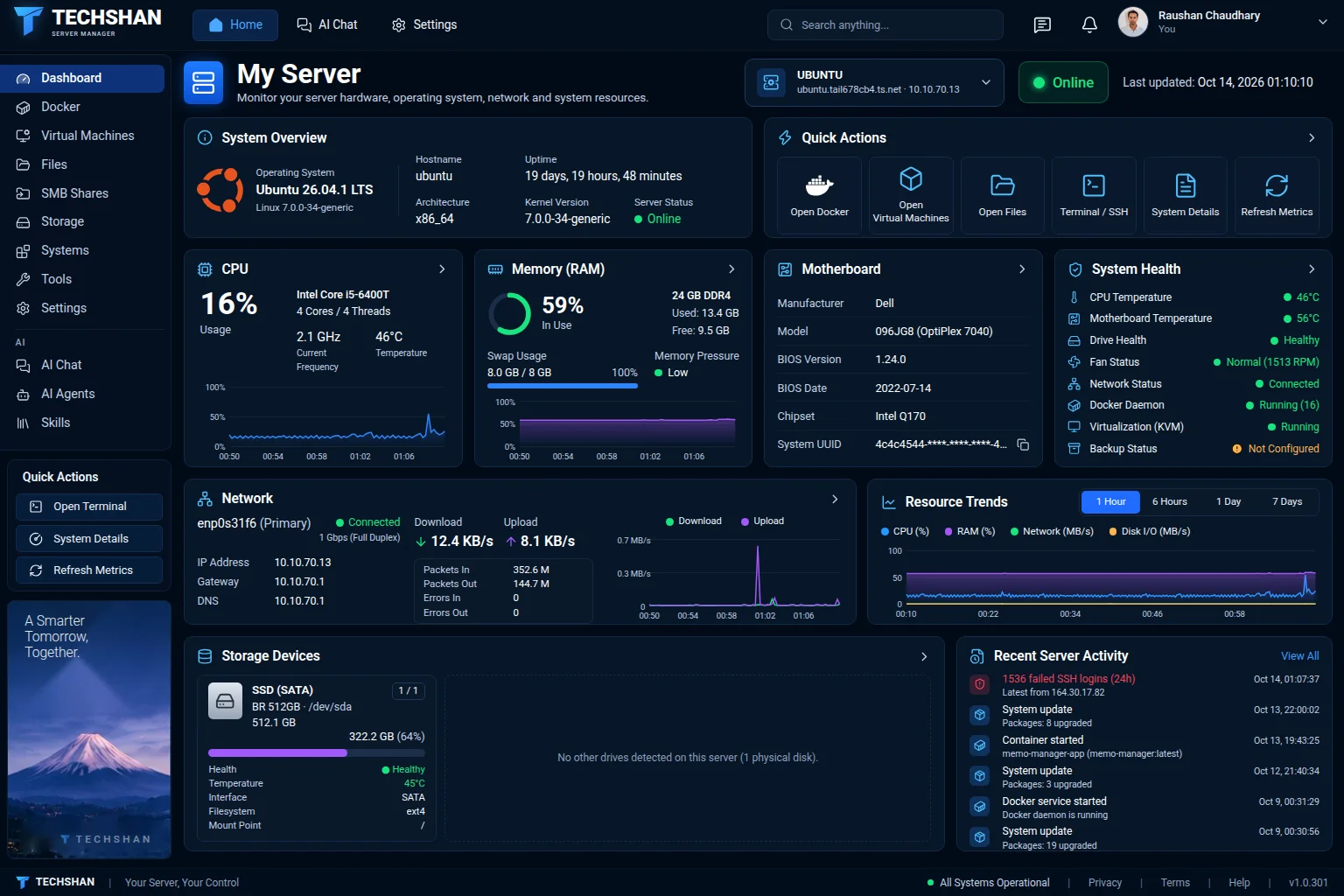
Almost everything you would otherwise do over SSH, in pages that show what is really on the machine.
CPU, memory, temperatures, drives, network and what happened on the server, on one screen.
Containers, stacks, images, volumes, networks and registries. Logs and a shell in the browser.
Create and run KVM machines with a console in the browser, snapshots, disks and networks.
Browse and edit files, share folders with Windows and macOS, manage who may open them.
Drives, health, pools, encryption, network drives and NFS exports.
Network, firewall, users, services, packages and updates, scheduled jobs, certificates, backups, logs and a terminal.
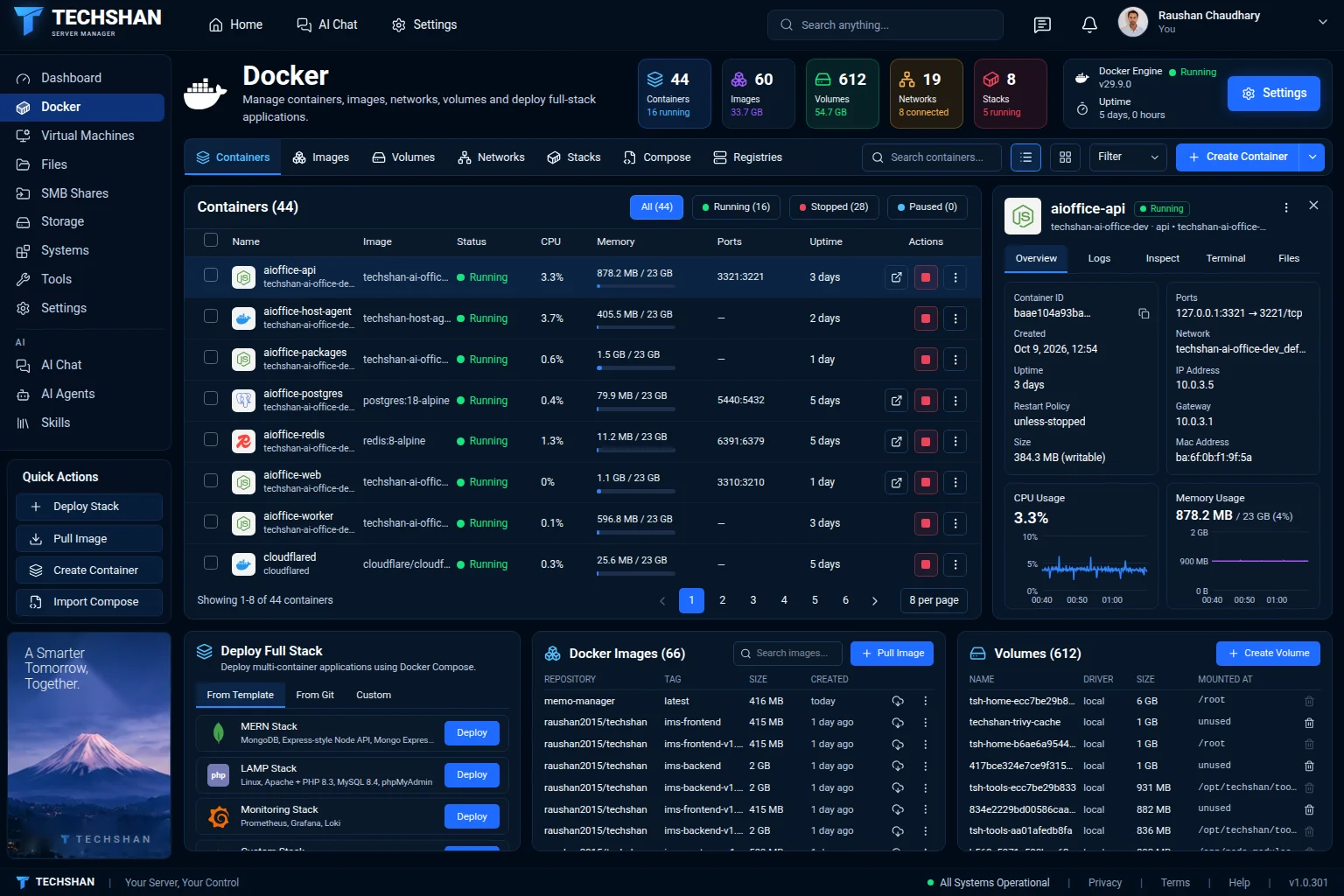
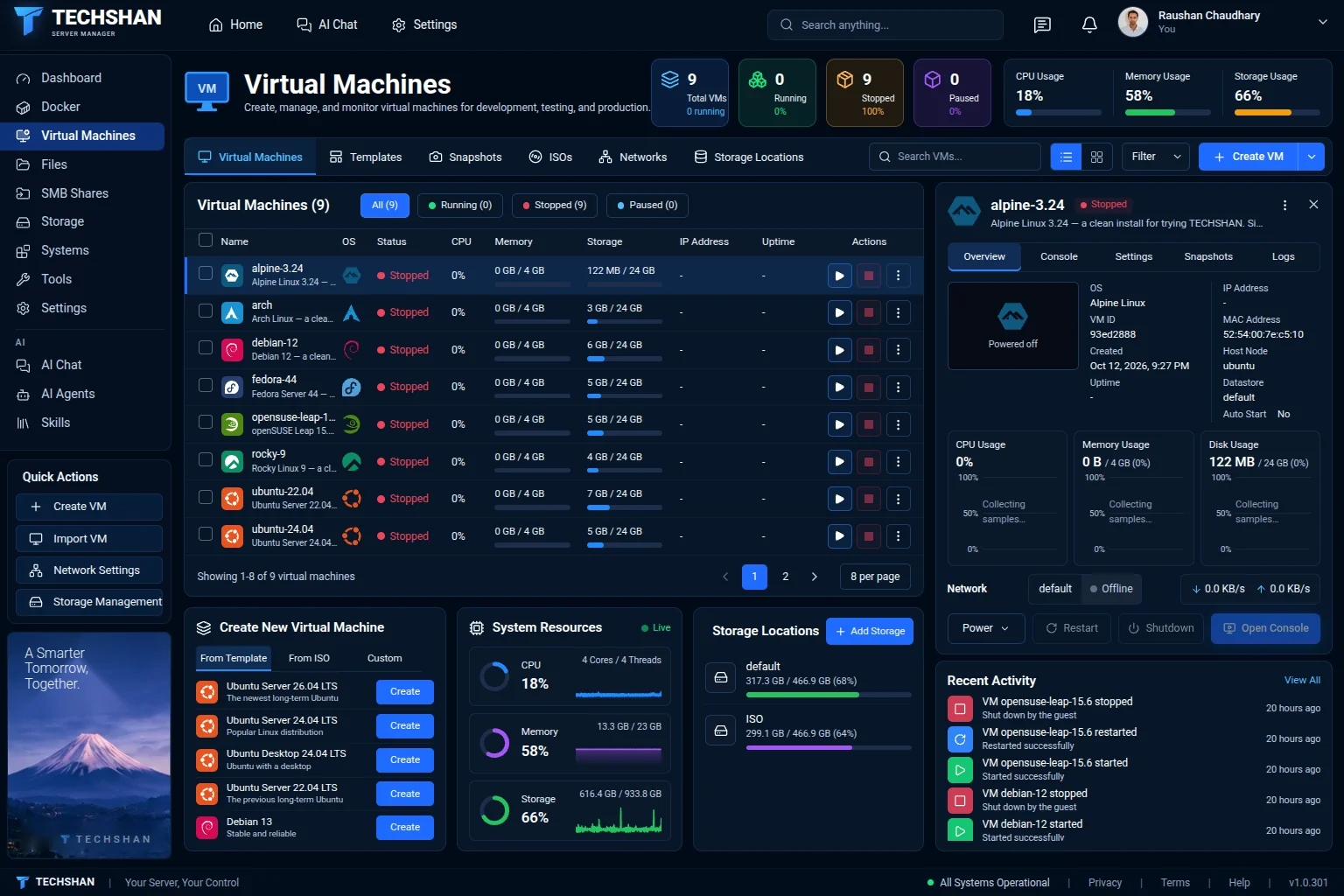
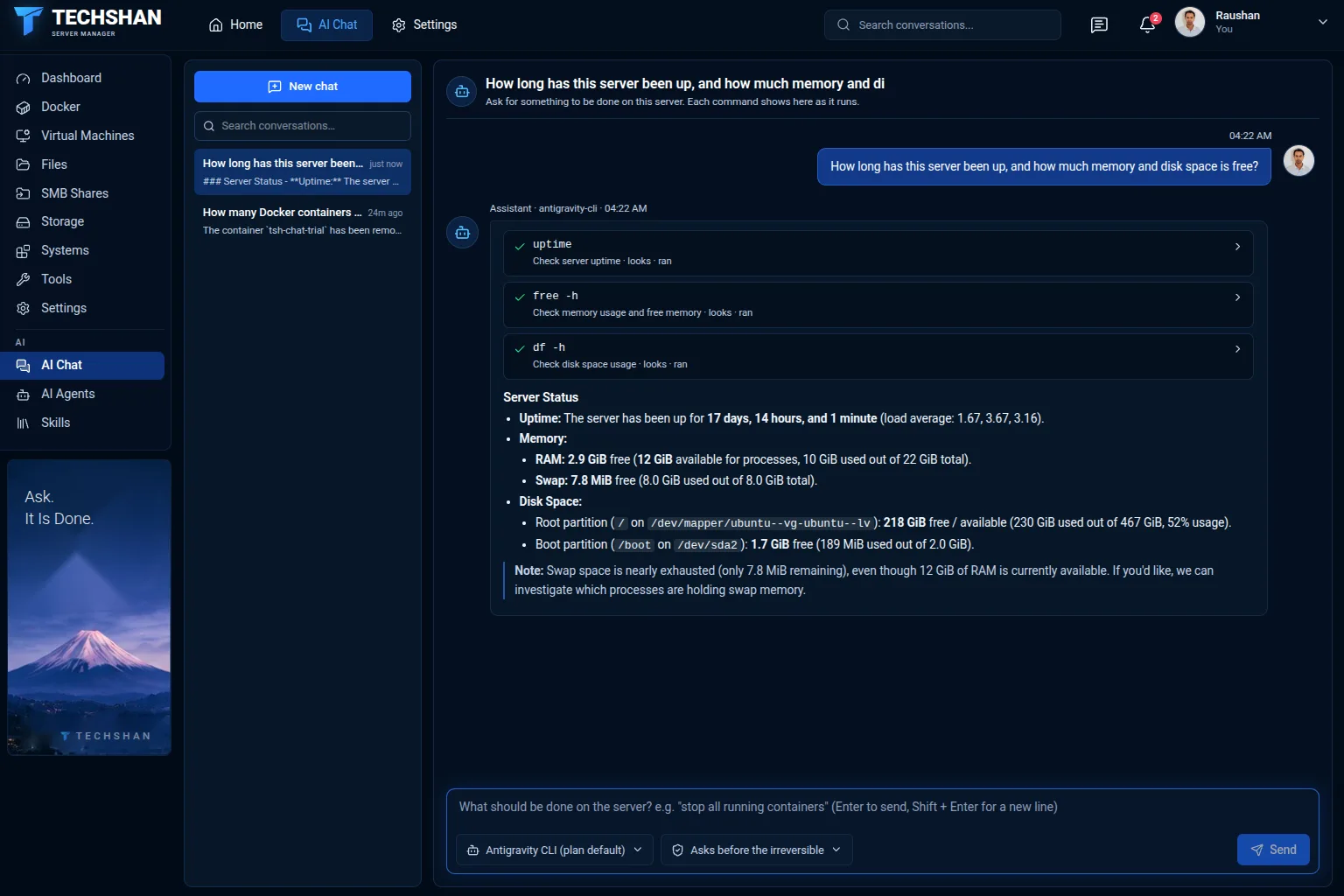
An assistant that manages the server when you ask, and the AI agents of the internet installed and kept up to date — in the same panel.
Write what you want in your own words — "stop all running containers", "why is the disk full?" — and the assistant does it on the server and reports back. Every command shows as it runs.
What cannot be undone waits for your yes. Or let it ask before every change, or run everything without asking: your choice.
Connect a bot of your own and manage the server from your phone.
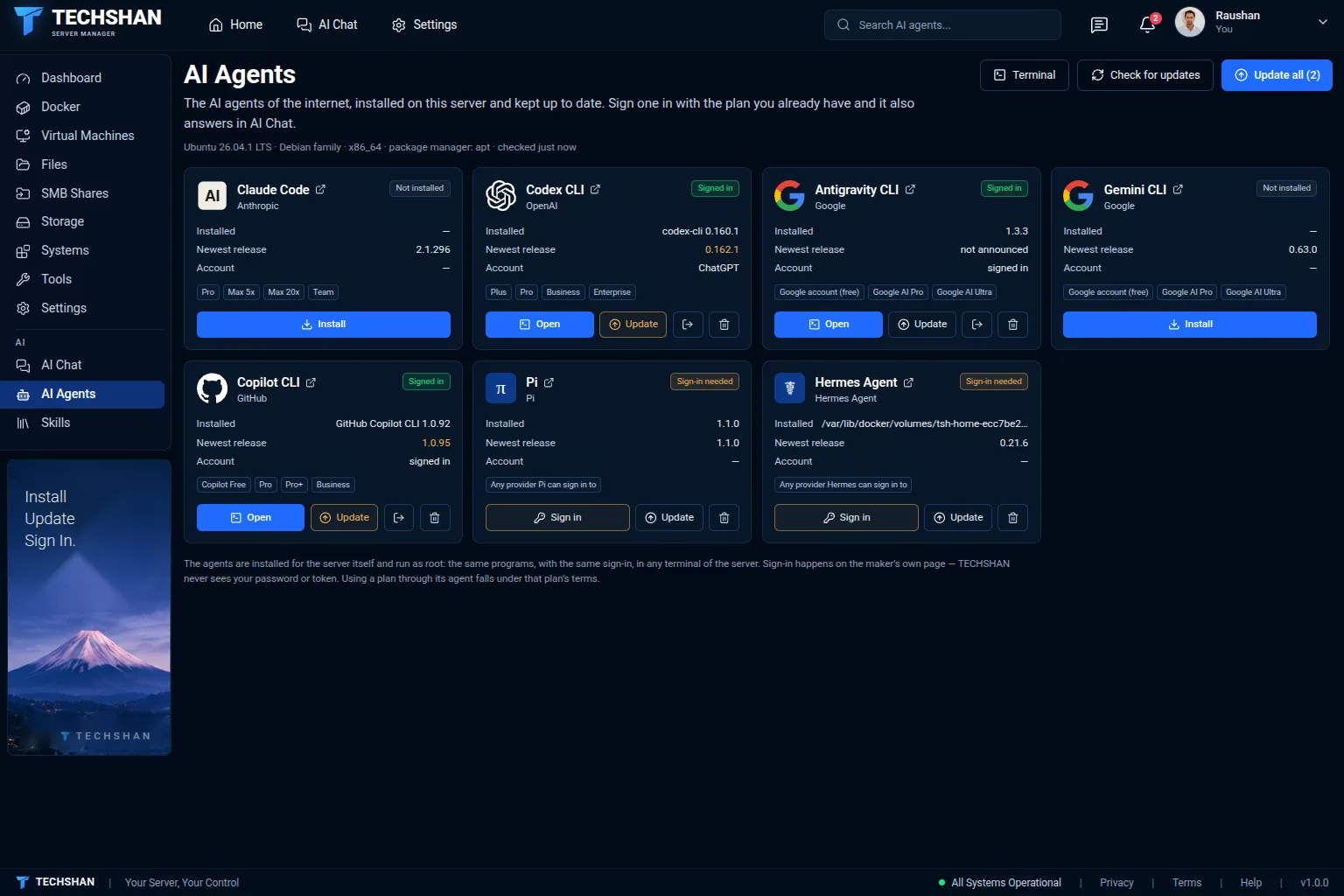
Install Claude Code, Codex, Antigravity, Gemini CLI, Copilot CLI, Pi and Hermes Agent on the server, see when a newer version is out, and update.
Sign an agent in with your own plan. It then answers in AI Chat too — no API key, nothing billed per token by us.
A library of skills that every AI agent on the server can use.
One command on your Linux server. Nothing is asked; the panel opens in your browser.
The whole product works during the trial. No card, no account on this site.
One license for one server. It never expires and includes a year of updates.
$20 once, per server
Keeps working: Dashboard, Docker, Virtual Machines, SMB Shares and your workspace settings.
Locked until you enter a key: the AI pages, Files, Storage and the server's Settings pages.
Nothing running on your server is stopped.
| Feature | TECHSHAN Server License$20 | One more year of updates$5 |
|---|---|---|
| Years of updates | 1 | 1 |
| License for one server | Yes | No |
| Never expires — no subscription | Yes | No |
| One year of updates included | Yes | No |
| Every feature of the panel | Yes | No |
| One more year of updates | No | Yes |
| For one licensed server | No | Yes |